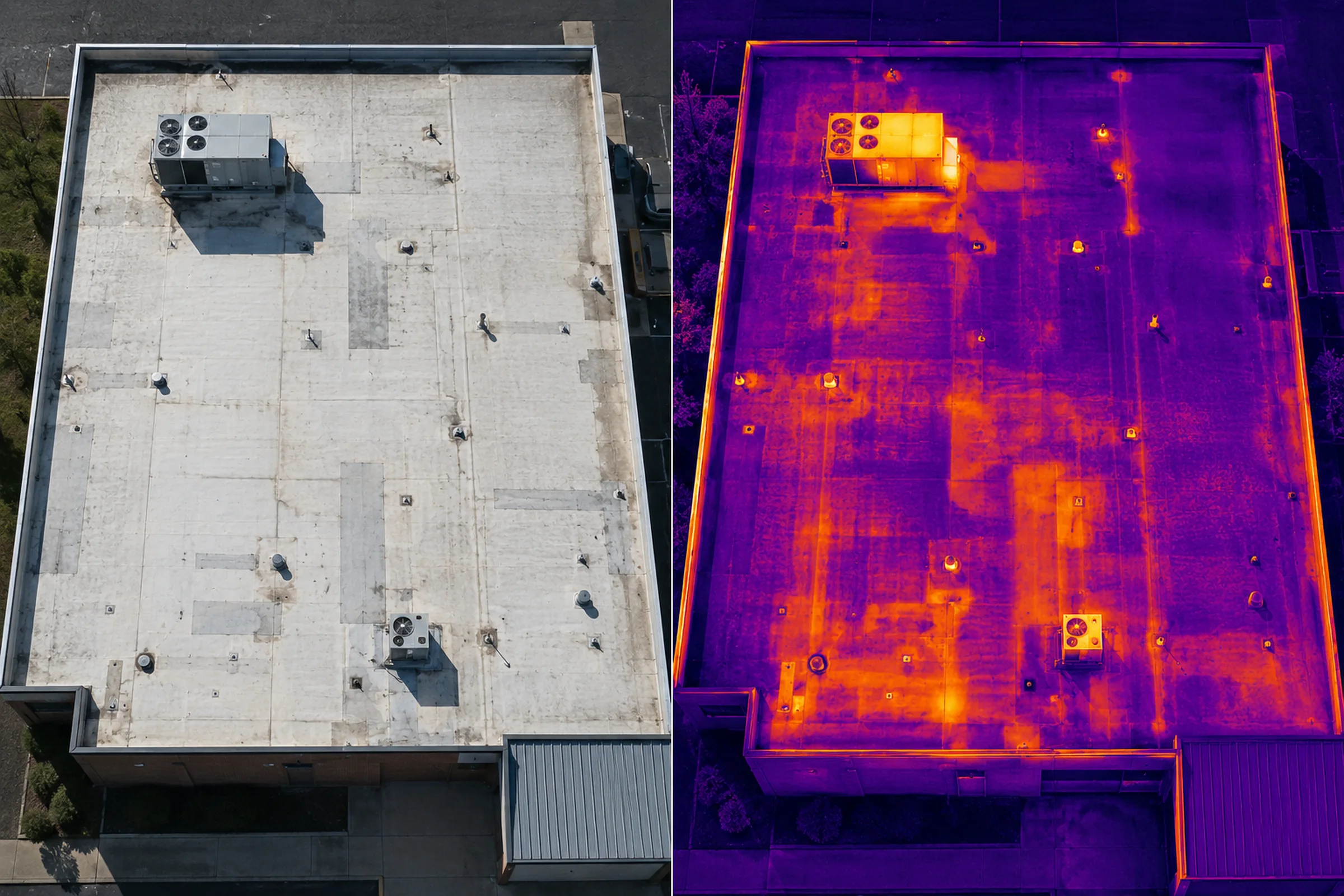
Same area, two views
A thermal image is easier to discuss when the matching visual photo shows drains, seams, units, curbs, patches, or roof edges.
A practical guide to using drone thermal imagery for roof screening and documentation without overstating what the image can prove.
This article is written for property owners, contractors, and facility teams who need useful roof documentation while understanding what thermal imagery can and cannot show.
Paired context
Visible and thermal context from the same roof area helps reviewers connect apparent temperature patterns to real roof features. The point is not to make the image sound more certain. The point is to make the next review less scattered.
For a Missouri commercial roof, that usually means pairing the thermal pass with normal roof photos, condition notes, and a plain-language handoff for the roofer, facility lead, owner, or contractor who still has to verify the concern.
A thermal image is easier to discuss when the matching visual photo shows drains, seams, units, curbs, patches, or roof edges.
Recent rain, wind, dew, shade, cloud cover, and roof material can change what the thermal camera appears to show.
The image set should help the right professional decide where to look first, not replace that professional's inspection.
Do not treat the image as proof of leak source, wet insulation, repair need, warranty status, or insurance coverage.
TL;DR / Short answer
When a low-slope commercial roof starts leaking, the visible stain inside the building is often not directly below the roof opening. Water can travel under the roof membrane, move through insulation, follow seams, or collect around low areas before it finally appears indoors.
That is why roof problems can be difficult to understand from the ground. A drone thermal roof screening gives property owners, contractors, and facility teams a broader view of the roof surface.
It can show apparent temperature differences across the roof and help identify areas that deserve closer physical inspection. The useful output is not a verdict. It is a clearer starting point for the people who still need to inspect, verify, and decide what comes next.
The safe expectation is simple: use thermal imagery to prioritize review, pair it with visible roof context, and keep the final roof, repair, warranty, engineering, or insurance decision with the qualified party responsible for that decision.
How thermal roof screening works
A thermal camera records apparent surface temperature. On a roof, those temperature differences can be influenced by materials, insulation, moisture, ponding, repairs, sun exposure, wind, equipment, and surface condition.
In some roof systems, moisture-retaining insulation can heat and cool differently than surrounding dry areas. Under suitable conditions, those differences may appear as thermal patterns that deserve closer review.
The limitation is just as important: a thermal image does not automatically prove a leak, identify the exact entry point, or replace a roofer, engineer, moisture meter, core sample, or hands-on roof inspection.
Used well, the deliverable helps answer where follow-up should start. It does not answer what caused the pattern or what repair decision should be made.
The ASTM infrared roof-insulation practice addresses conditions and verification for locating wet insulation using infrared imaging, and it does not determine the cause of moisture or the point of entry. That is why this article treats thermal imagery as screening support, not a diagnosis.
It does provide useful information for deciding where closer inspection may be needed, especially when the thermal view is paired with clear visual roof context and careful notes.
Timing and conditions
Thermal roof screening should be planned around the question being asked and the conditions needed for meaningful contrast.
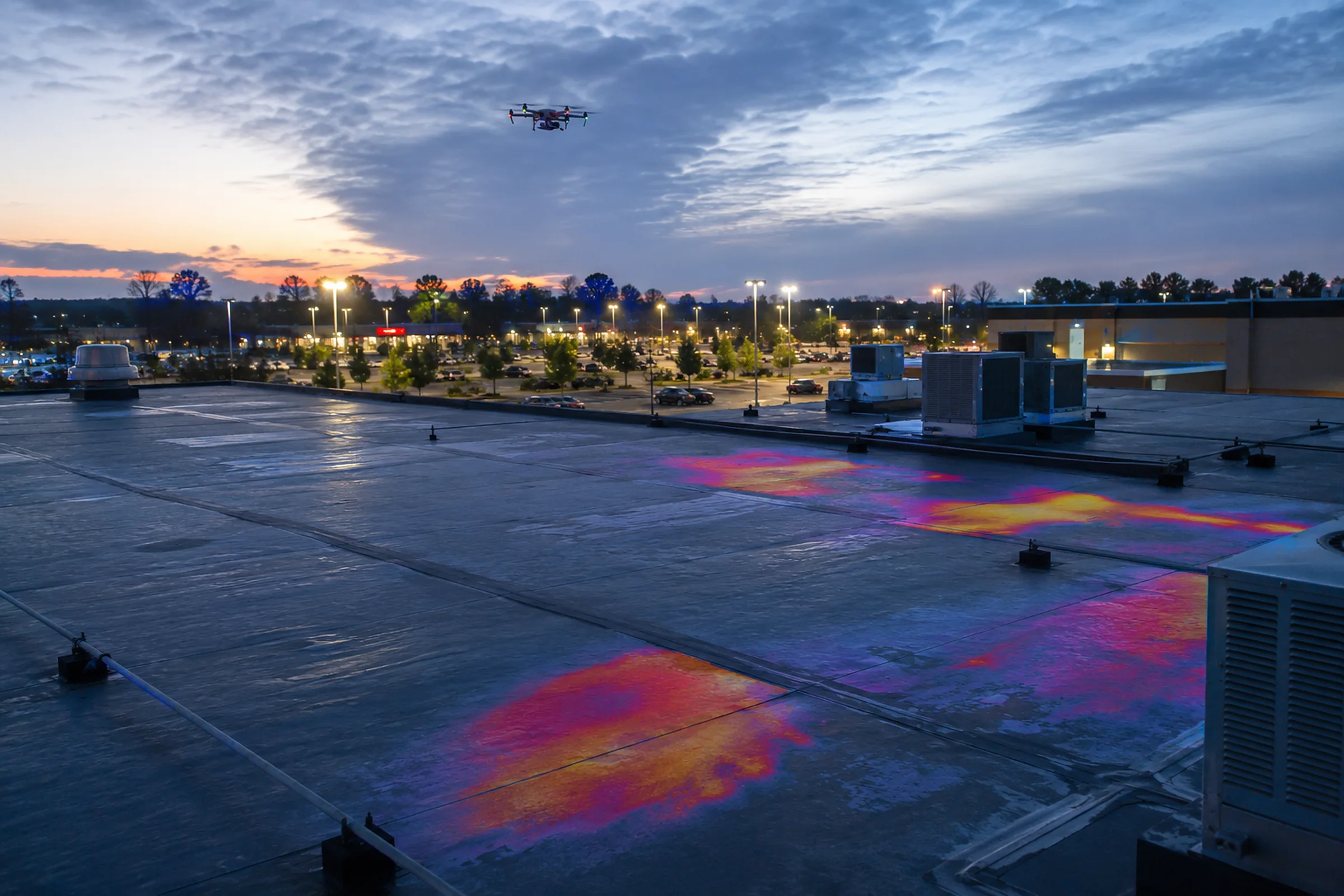
Thermal roof screening is highly condition-dependent. The same roof can look different depending on the time of day, recent weather, wind, humidity, cloud cover, roof material, and how much sun the roof received before the inspection.
For many low-slope roof moisture screenings, the useful window is often after sunset or during another thermal transition period. The roof absorbs heat during the day and releases it later; if some areas retain heat differently, the thermal camera may be able to capture those patterns.
Useful
Watch
What it can and cannot show
The value is not simply the image. The value is an organized record that helps the next person review the roof more clearly.
Thermal drone imagery is useful when the goal is to identify patterns and organize the next step. On larger commercial roofs, it can help contractors and property owners avoid relying only on memory, ground-level views, or isolated photos.
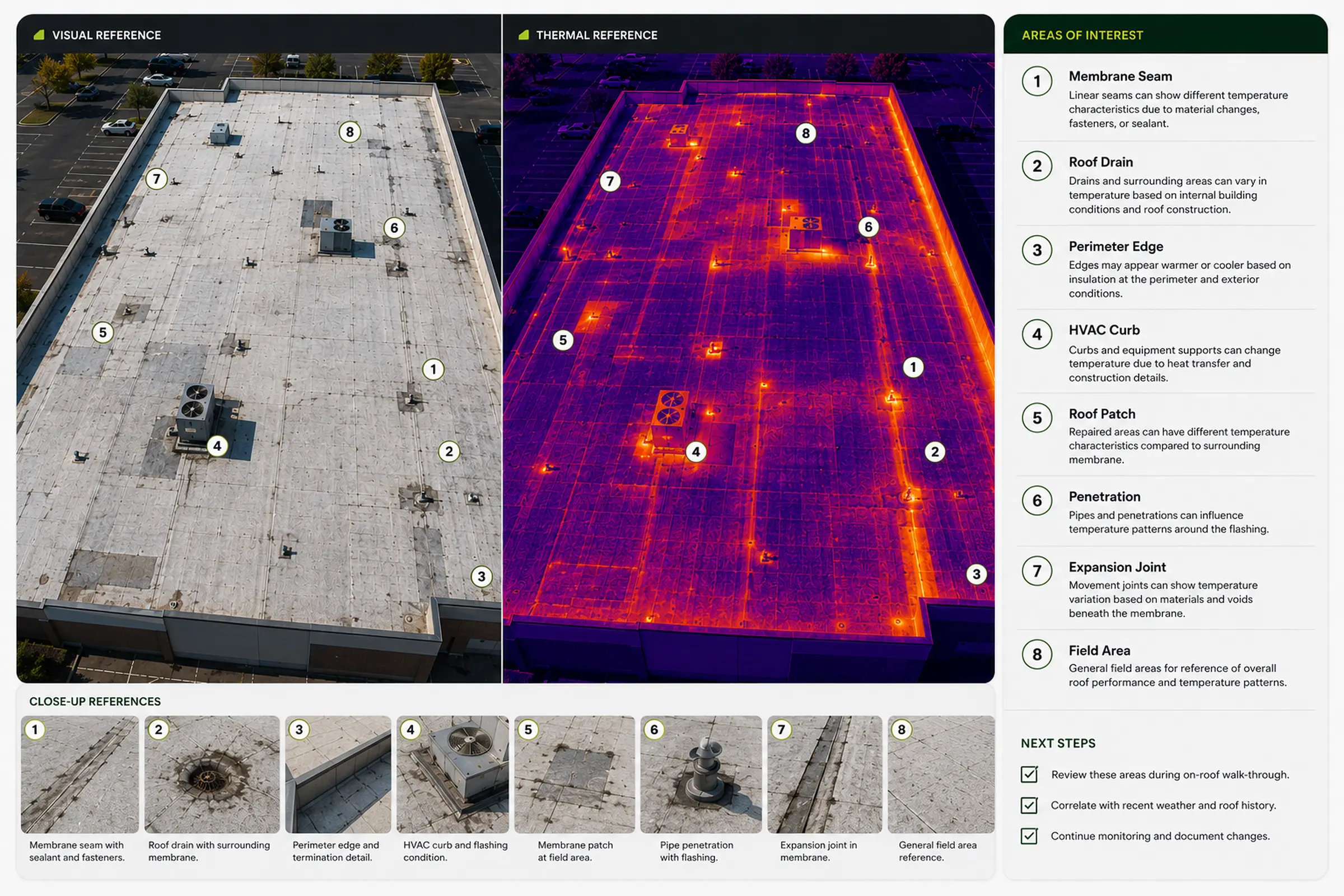
A single roof may include hundreds of details: drains, seams, HVAC units, pipes, curbs, skylights, patched areas, stained sections, ponding zones, and previous repairs. A drone can help capture that context efficiently, then pair thermal images with visual reference images so the right people can review the roof more clearly.
Useful
Limit
When it makes sense
Not every roof needs a thermal pass. It is strongest when a property team, roofing contractor, or facility stakeholder needs broader context before targeted follow-up.
For larger roofs, drone documentation can be especially useful because it gives reviewers a site-wide view. Instead of relying only on close-up photos, the owner or contractor can see where each concern sits in relation to drains, seams, roof edges, equipment, and previous repairs.
Professional workflow
A professional screening workflow starts with the question being asked, the conditions needed for useful contrast, and the follow-up review the deliverable is meant to support.
Clarify whether the need is leak-support documentation, maintenance review, contractor planning, storm documentation, or repair follow-up.
Confirm roof surface, weather, timing, and safe access before treating a thermal flight as useful.
Collect visual and thermal references so apparent patterns are tied to real roof features.
Describe apparent anomalies and follow-up zones without claiming a final cause or repair need.
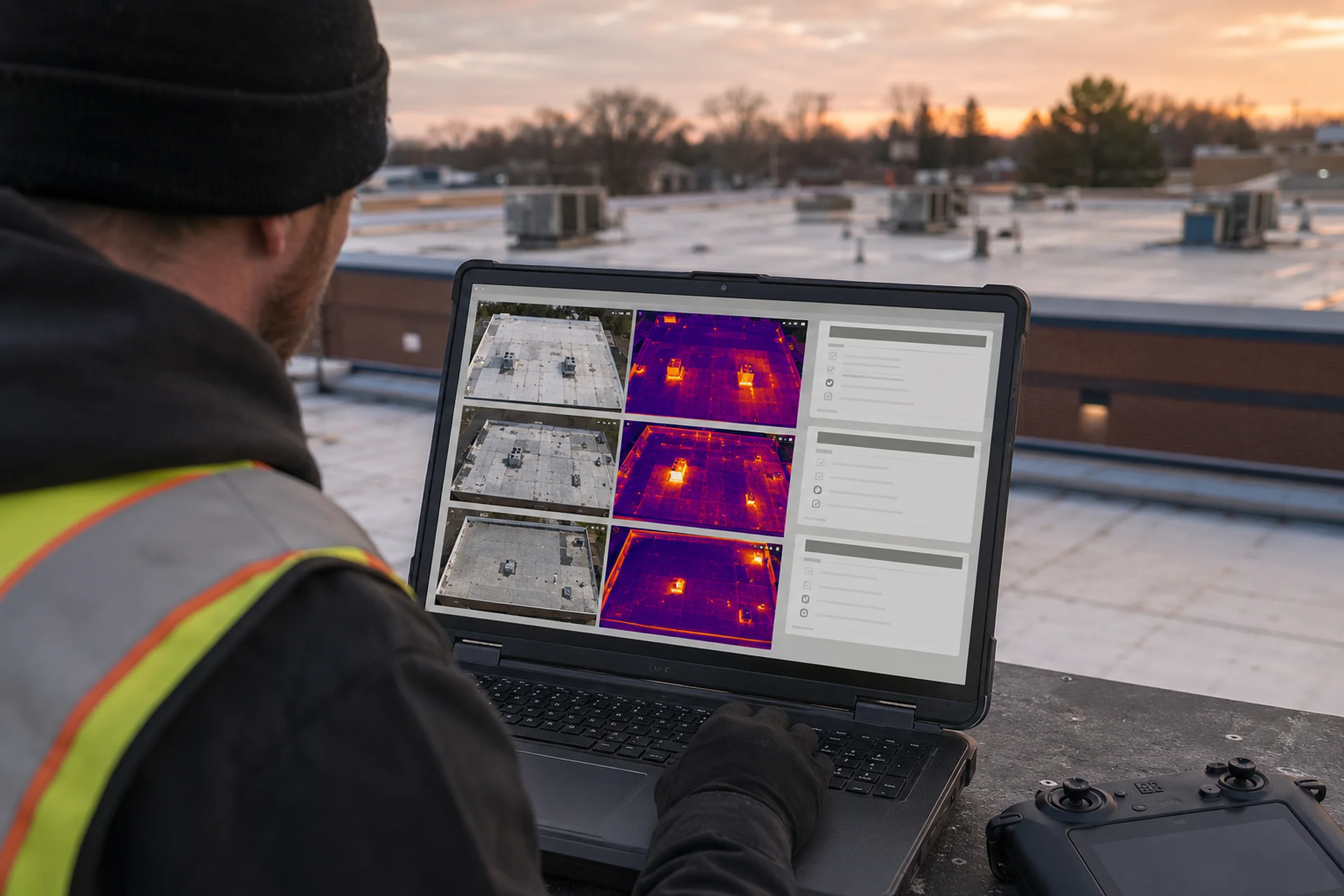
Use the organized imagery to support roofing, building, or facility review before decisions are made.
For paid commercial drone work under the FAA's Small UAS Rule, Part 107, the FAA says the remote pilot must hold a Remote Pilot Certificate. That supports safe commercial flight work. It is not a roofing, thermography-certification, engineering, insurance, warranty, or code credential.
Documentation package
TwoBit Aerial provides practical roof and property documentation for owners, contractors, and project teams in Bolivar and Southwest Missouri. For thermal roof screening, the useful package is built around review-ready context.
High-resolution visible-light context for roof features, access points, and orientation.
Condition-dependent thermal image sets focused on apparent surface-temperature contrast.
Side-by-side context that helps reviewers connect thermal patterns to physical roof areas.
Plain-language summary notes and callouts that support review conversations, not final conclusions.
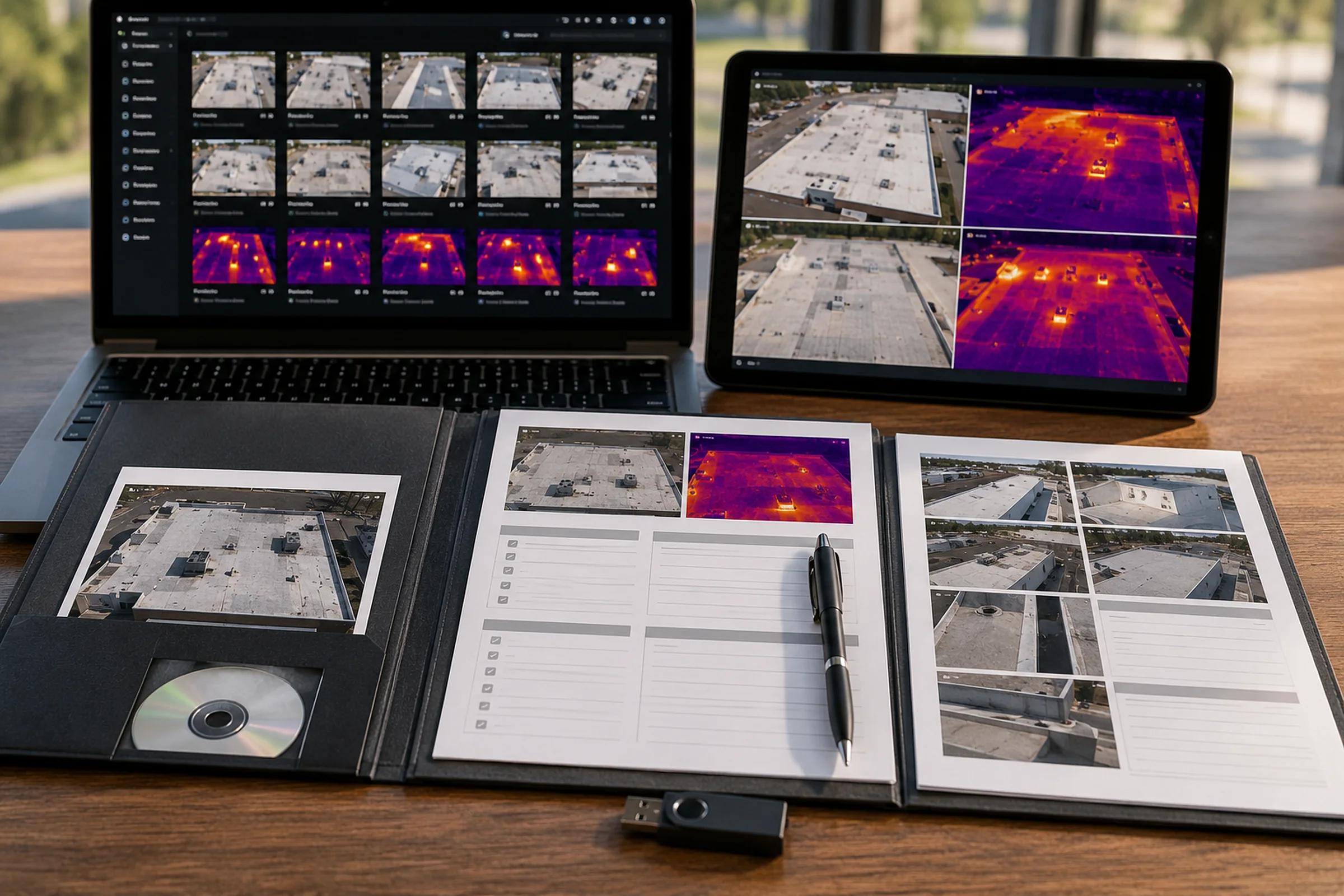
The purpose is straightforward: create clear documentation that helps the next person make a better decision. That might mean helping a roofer decide where to inspect first, helping a property owner communicate with a contractor, or giving a facility team a better record of what the roof looked like before or after a repair.
The goal is not drone footage for its own sake. The goal is useful aerial information for the work on the ground.
Summary
Thermal drone roof screening can be valuable, but only when it is used honestly.
It can help identify suspicious temperature patterns, improve roof documentation, give contractors and property owners better visual context, and support smarter follow-up inspections.
It cannot, by itself, prove the cause of a leak or replace review by the right roof professional.
If your building has reported leaks, repeated roof concerns, storm-related exterior questions, or a large low-slope roof that needs better documentation, the right next step is a scoped conversation about conditions, timing, deliverables, and follow-up needs.
Ask About Thermal Roof ScreeningWhat to send before requesting a quote
Thermal roof screening is not a generic photo visit. The job should be scoped around the building, the reason for screening, the conditions needed for useful contrast, and the deliverable the reviewer actually needs.
If you are still deciding how much documentation to buy, start with the drone service pricing page and then scope the image set around the reviewer. If a roofer only needs a few visual reference images, do not buy a larger thermal package just to make the folder look heavier.
For travel timing, weather limits, and quote details, check the Southwest Missouri service area and the FAQ. The useful request is the one that explains the roof concern, access, timing, and who will review the files.
Property address or nearest location
Building type, roof type if known, and approximate roof size
Reason for the screening, such as reported leaks, repair follow-up, or maintenance review
Known concern areas, interior leak locations, or recent storm context
Preferred reviewer: owner, roofer, facility team, contractor, or documentation reviewer
Site access notes, gate codes, contacts, active work zones, rooftop hazards, and timing constraints
Whether you need paired image folders, annotated callouts, a PDF summary, or a simple screening image set
FAQ
These questions keep the service expectation practical: useful documentation, condition-dependent screening, and professional follow-up where the decision requires it.
Thermal drone roof screening is a condition-dependent documentation service that pairs aerial visible-light imagery with thermal imagery to look for apparent temperature patterns that may deserve closer review.
No. Thermal imagery can show apparent temperature differences, but it does not prove water, leak source, moisture content, causation, repair scope, warranty responsibility, or insurance coverage.
It works best when roof material, recent weather, wind, surface condition, daytime heating, timing, and safe access support meaningful thermal contrast. Some jobs should be rescheduled when conditions are not useful.
Wet surfaces, recent rain, dew, wind, shade, mixed roof materials, reflective areas, HVAC exhaust, rooftop equipment, previous patches, and poor timing can all distort apparent thermal patterns.
A useful package should include paired visual and thermal references, overview context, visible roof feature orientation, date and condition notes, labeled folders, and optional callouts or summary notes when scoped.
Send the property address, building type, known roof concerns, recent weather or leak context, intended reviewer, access constraints, timing needs, and whether you need image folders, callouts, or a PDF summary.
Sources and reference basis
This guide combines TwoBit Aerial's public thermal-screening service boundaries with external operating and infrared-roof-screening references. It is written for screening expectations and follow-up planning, not as a leak diagnosis, moisture proof, repair scope, or insurance decision.
Used for the commercial small UAS operating baseline and remote-pilot framing.
Used as a reference point for why infrared roof imagery depends on conditions and follow-up verification.
Used to keep this article aligned with the public service offer and screening-only claim boundary.
Used to keep thermal screening framed as one layer within a broader roof-documentation workflow.
Used for public scheduling, weather, inspection, and quote-prep boundaries.
Used for scope and pricing-path references without adding unsupported pricing claims here.
Used for local Southwest Missouri service-fit context.
Next reading
The article is the explanation. The service pages define the public offer and quote path.
Related service
Service details for condition-dependent roof thermal imagery and review support.
View pageRelated service
Thermal drone screening for roof, building, and exterior equipment review support.
View pageRelated service
Aerial roof imagery for visual context, vendor conversations, and follow-up planning.
View pageNext step
Ask about visual and thermal roof documentation for commercial buildings, facilities, and property teams in Southwest Missouri.